How I Reduced My Node.js Storage Usage from 15 GB to 2 GB with pnpm
2026-10-13 · 5 min read
It may sound unbelievable, but I've achieved it. You might also be
wondering how I run my Node.js projects without node_modules. I'll
answer all your doubts, but before clearing them up, let me start with a
story so it can be relevant to you.
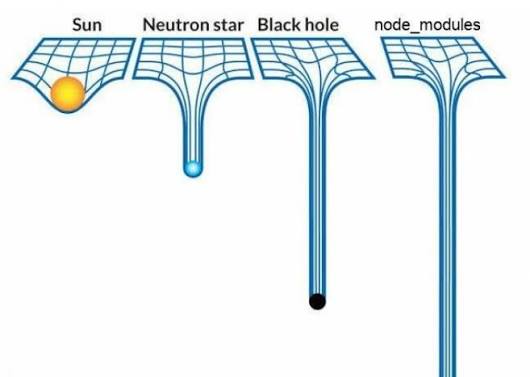
Why My Node Modules Reached 15 GB
Once I started learning React and Node.js, I didn't know about
node_modules. I just kept making new projects in every folder. As my
projects grew, one project's node_modules alone took almost 3.5 GB of
storage. Keep in mind that the project was complex, so I was using over
25 external libraries. At that time, I didn't know how to bypass this,
as I needed the Node.js ecosystem but didn't need a ...
Finding Out About npkill
At that time, I heard about a library called npkill. I was shocked to
see that it was taking almost 24 GB of my storage. After becoming aware
of this, I deleted some of my big projects but kept the others.
I had to download those projects again, so I kept looking for other ways
to manage storage. I solved that storage problem for the next two to
three months. Again, the same node_modules bloat problem came back.
At that time, I was looking for an alternative to the npm package manager. Earlier, I had moved to Yarn because, around 2025, pnpm didn't support systems as well as it does now.
I moved to Yarn because I didn't want the big npm bloat, but Yarn wasn't the final solution. It provided a cache, a lock file, and an offline solution. It reduced my storage usage by about 20 to 35%, but I wanted an even more optimized solution. Later, I learned about pnpm.
Why Multiple Projects Duplicate Dependencies
npm isolates packages and versions, which reduces runtime errors caused by installing different package versions. This is also a major advantage of npm. Initially, it seemed like a perfect thing.
For hoisting shared packages that use the same library, for example,
React.js, the versions might be different, so they can't use the same
copy. npm solves this by creating a nested node_modules folder for the
specific package.
Even for monorepo projects, npm strictly treats packages as isolated,
which has its own pros and cons. We can also use npm dedupe to find
duplicates.
How npm Stores Installed Dependencies
It takes the version from package.json and locks the exact version in
package-lock.json. Unless we change a version or run npm install or
npm i, it remains at that version.
It also uses caching to avoid downloading everything again. With the
latest versions, it keeps improving storage management. You can check
the cache internally with npm config get cache. If a package isn't
found in the cache, npm downloads it in the tgz format, the most
compressed tarball from the npm registry. If two projects require the
same version, it is stored in a flat system. If not, npm uses nested
dependencies, which can also cause the problem of dependency hell.
pnpm: Now Go To...
Once I learned about pnpm, as its name suggests, it meant a performant package manager. That was what I was looking for: performance and space efficiency.
It mainly uses strict non-hoisting and a global content-addressable store.
Hoisting means moving symlinks or subdependencies so packages can be accessed. This is also a major problem we face with npm: the loop of subdependencies. One library needs another subdependency, and the chain keeps going.
Now that I've switched to pnpm, unless a project requires npm, I rarely go outside the pnpm ecosystem. It also solved one of my problems with pnpm, though perhaps npm could solve it too, but I've never tried.
This issue happens on restricted networks, such as university or campus networks. For example, I'm inside a university network that restricts access to a lot of content through university Wi-Fi, such as library installations or Git/GitHub interactions, which are necessary for developers. So I researched it, and we can achieve access by using a reverse proxy.
We can point our reverse proxy to the HTTPS proxy defined in one of the VPN configurations, and we're done.
Installation Speed Comparison: npm vs. pnpm
The speed difference is something everyone can notice, even with a small
project. In a comparison of installations without a cache, pnpm is
almost 40 to 60% faster. That's quite a bit faster. When our project
grows to a node_modules folder of 1 GB or more, it can even save 30
seconds without a cache.
For cached installations, the difference isn't significant because both are quite fast. npm might take 2 seconds, while pnpm might complete a cached installation in 1 second. That's not a significant difference. We've already talked about hard links and the central global store.
Global Storage vs. Project-Level node_modules
The global store is usually located in ./pnpm-store, which becomes the
single source of truth. It consumes physical disk space once for all
projects and stores packages in hashed form. We don't need to worry
about the global store because pnpm handles it entirely.
At the single-project level, the structure is stored at the project
level and consumes almost zero space because symlinks point directly to
the global store. It uses hard links and symlinks for nested dependency
handling. We can see this in the project's node_modules folder.
Keep in mind that a hard link is the file itself, with a second name pointing to the exact same data blocks, not a duplicate.
What pnpm Does Not Solve: Unused Dependencies and Oversized Packages
Everything has pros and cons. These are what motivated me to move to pnpm a year earlier, but it also has some downsides. For example, it isn't as widely adopted as npm. Its market share is rapidly increasing, but it's still far behind npm.
Another major problem is ghost code. When we import a heavy library that
we've never used, it stays there as a hard link, and we can't identify
it automatically. A solution might exist by checking with other
libraries, but by default, it stays there as long as we don't remove it
from package.json or delete the project.
Finally
pnpm is something that can improve your efficiency. I suggest it as something you should have, though I can't say you must use it. It will save you a lot of time. Even for a one-time installation, it can save you 25 seconds and 250 MB of storage. As developers, we do new installations almost every week.
Total Can Save Over a Total Average Career Span of 25 Years
One year has 52 weeks. If one week saves 30 × 4 = 120 seconds, then 120 × 52 × 25 = 156,000 seconds. If we divide that by 43 hours, that means we can save almost two days just by switching to pnpm over our entire tech career. These are just assumptions from my side, and I can't verify them.
For disk space, if we calculate an average of three installations every week, the calculation is:
250 × 4 = 1,000 MB, almost 1 GB. 1 GB × 52 = 52 GB of bloated
node_modules storage we can save every year.
At last, even if it looks simple to choose, it has a deeper meaning when we question any decision: why, what options we have, and why we choose one.
Finally, even after almost a year, you can check that my 25 projects,
which aren't very complex, have taken 16 GB of storage. You can also
check out npkill to check your node_modules storage and i thank the Juan Torres for building such a great tool.
Thanks.